UX Design Team (Manager)
Product Owners (2)
Business Executives
Development (Director)
UX Strategist
UX Design
UI Design
User Research
Agile/Sprints
Figma
Adobe Suite
Jira
Microsoft Teams
Zoom Meeting
Enterprise Application
Power BI
Angular
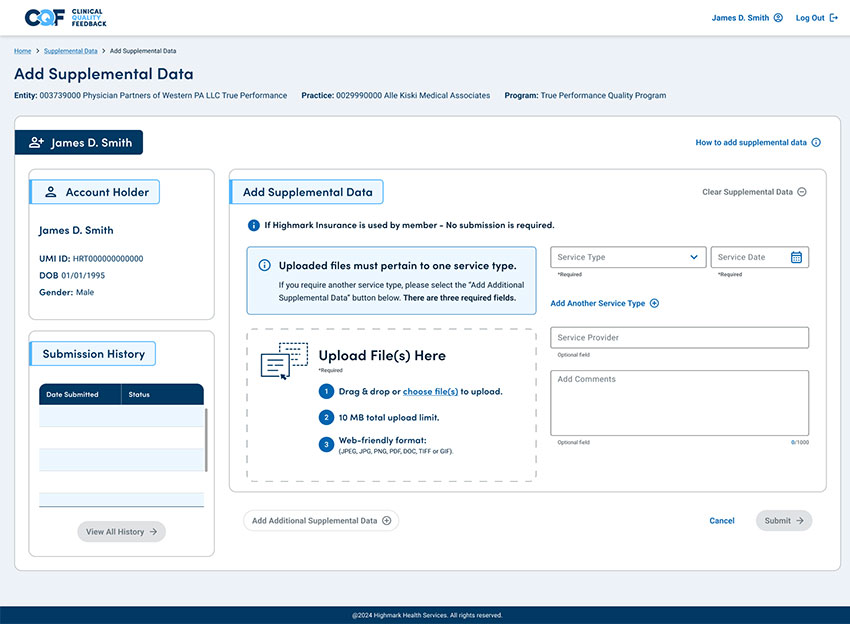
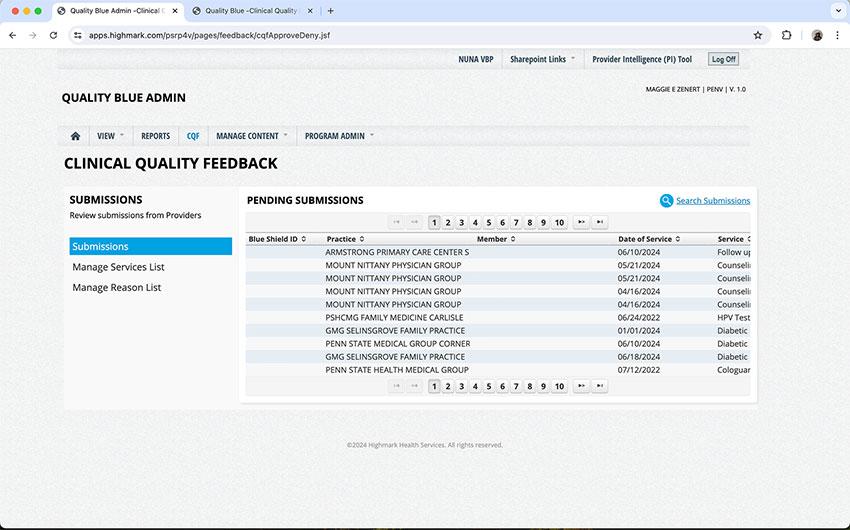
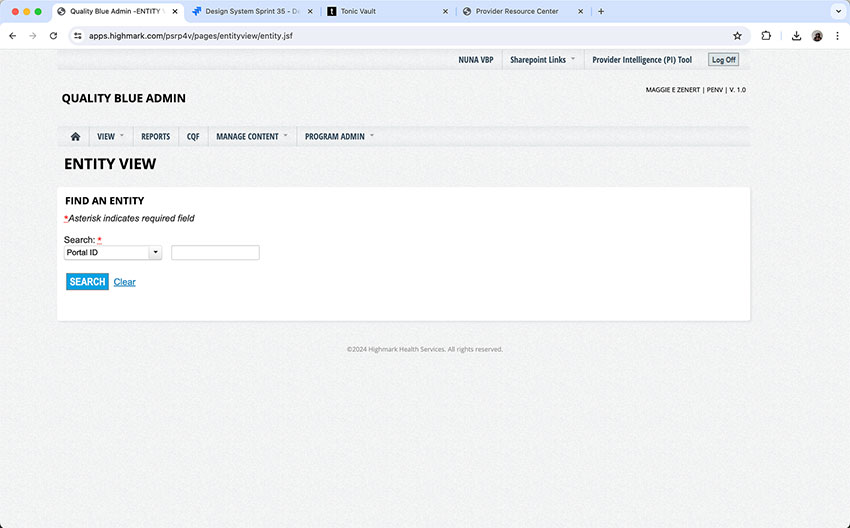
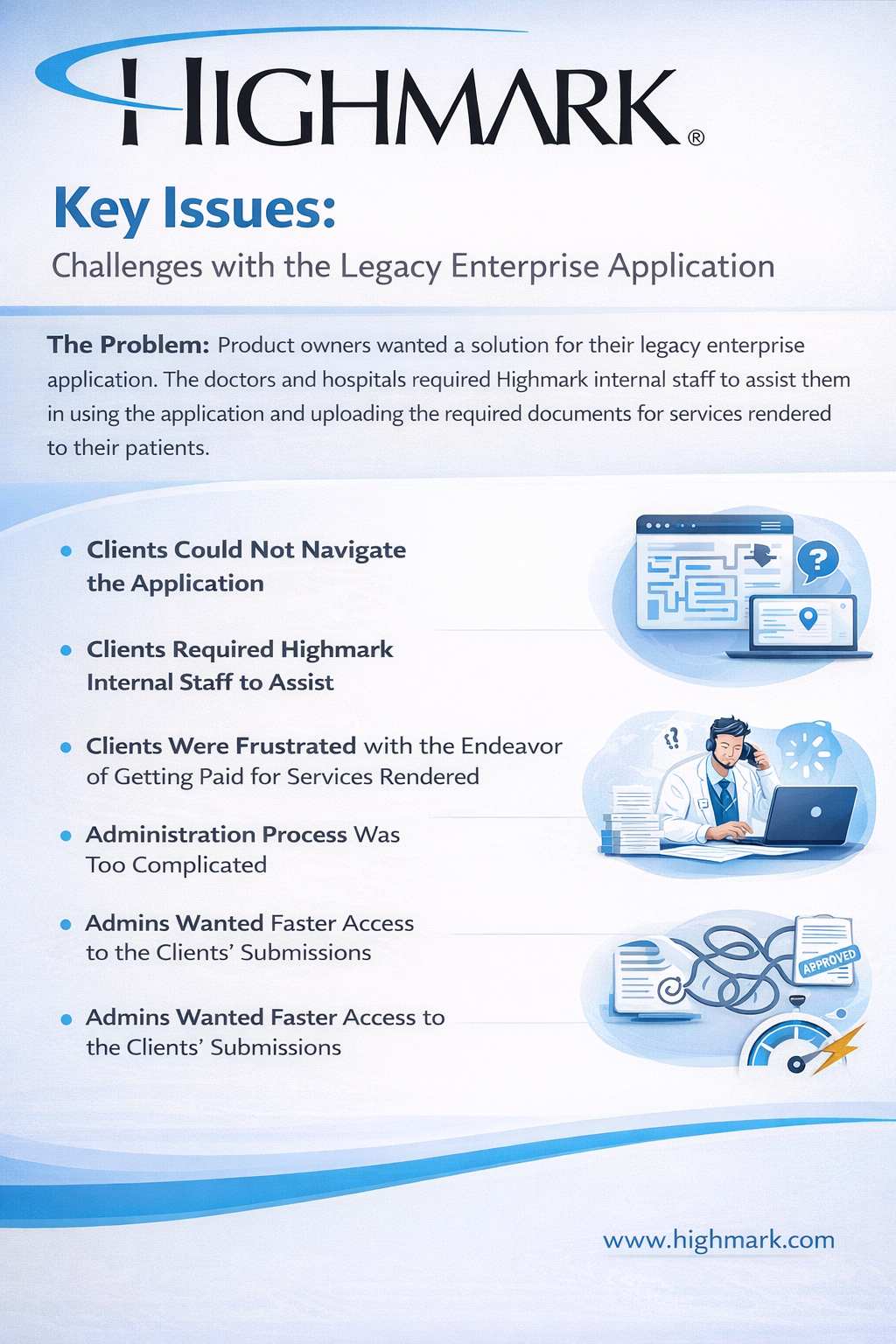
Providers found the legacy CQF application difficult to navigate, unintuitive in its task flow, and overly dependent on guidance or prior training to complete submissions correctly.
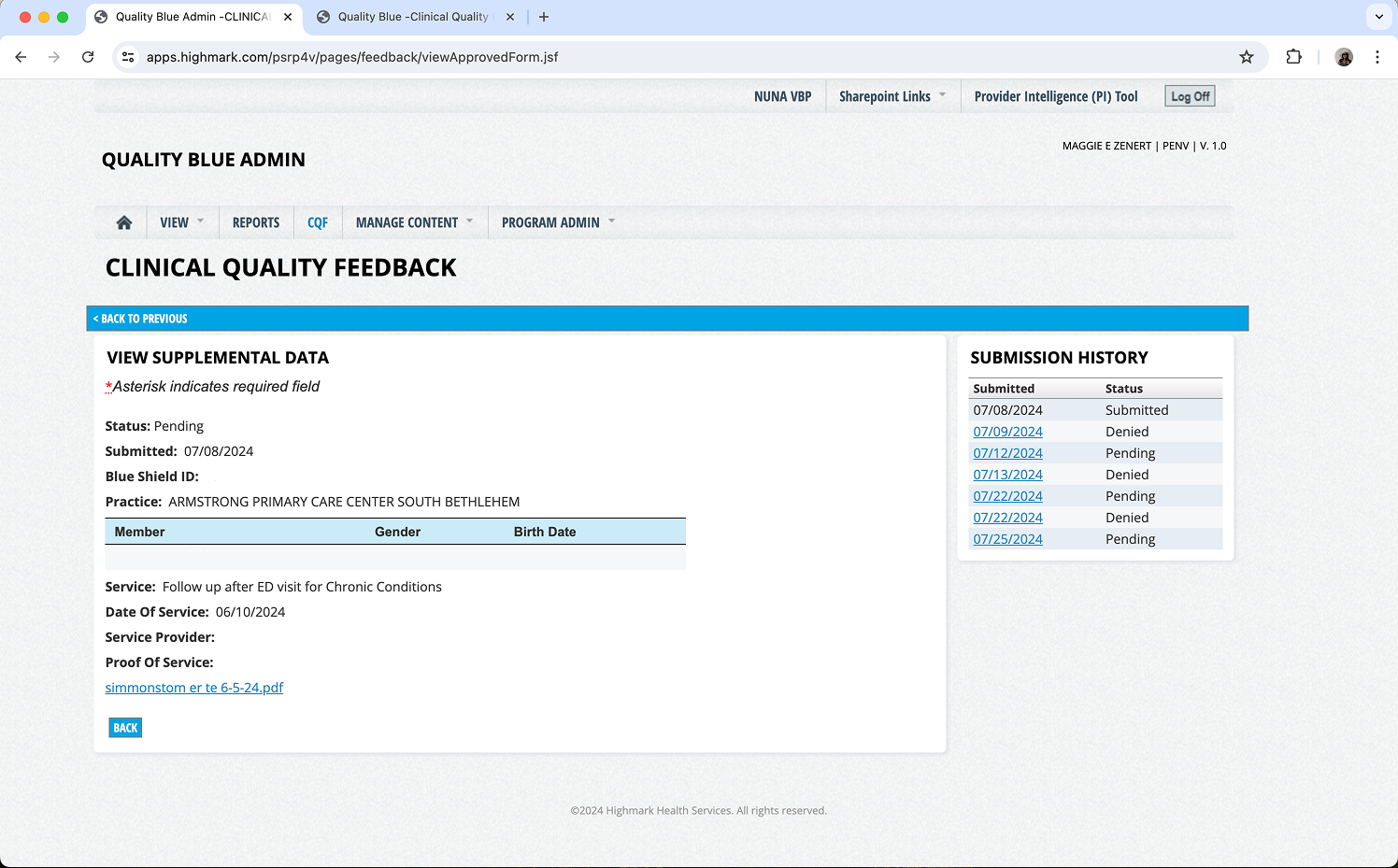
The system lacked streamlined submission workflows, clear status visibility, and efficient document management tools, leading to frequent errors, resubmissions, and administrative delays.
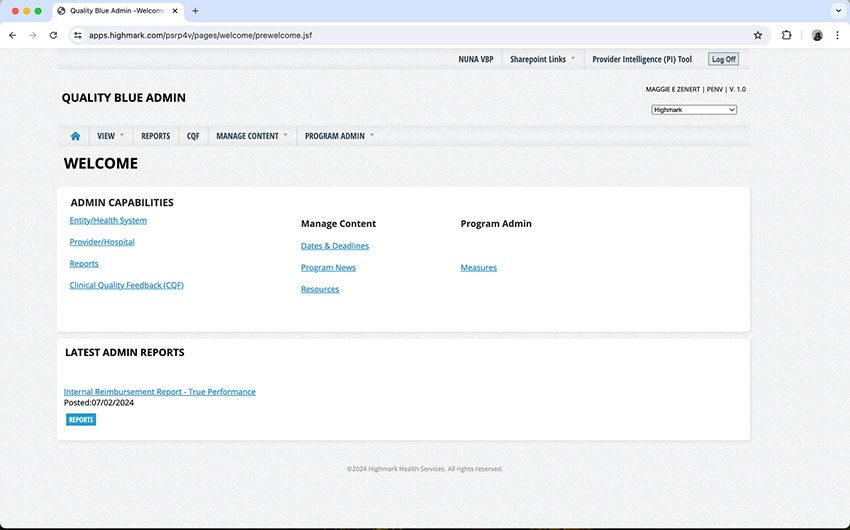
The interface appeared outdated and inconsistent with Highmark Health’s modern digital standards, reducing user confidence and perceived system reliability.
Strategic UX design enhancements, ensuring a seamless and engaging experience for sustainable growth.
Simplify the shipping experience with a user-friendly and intuitive app that adapts to your needs and preferences.
Keep your customers loyal and satisfied with a reliable and responsive app that provides personalized support and feedback.
Taking details notes - using them for further questions with the Product Owners.
I engage with the product owner to gain deeper insights into the product’s challenges.
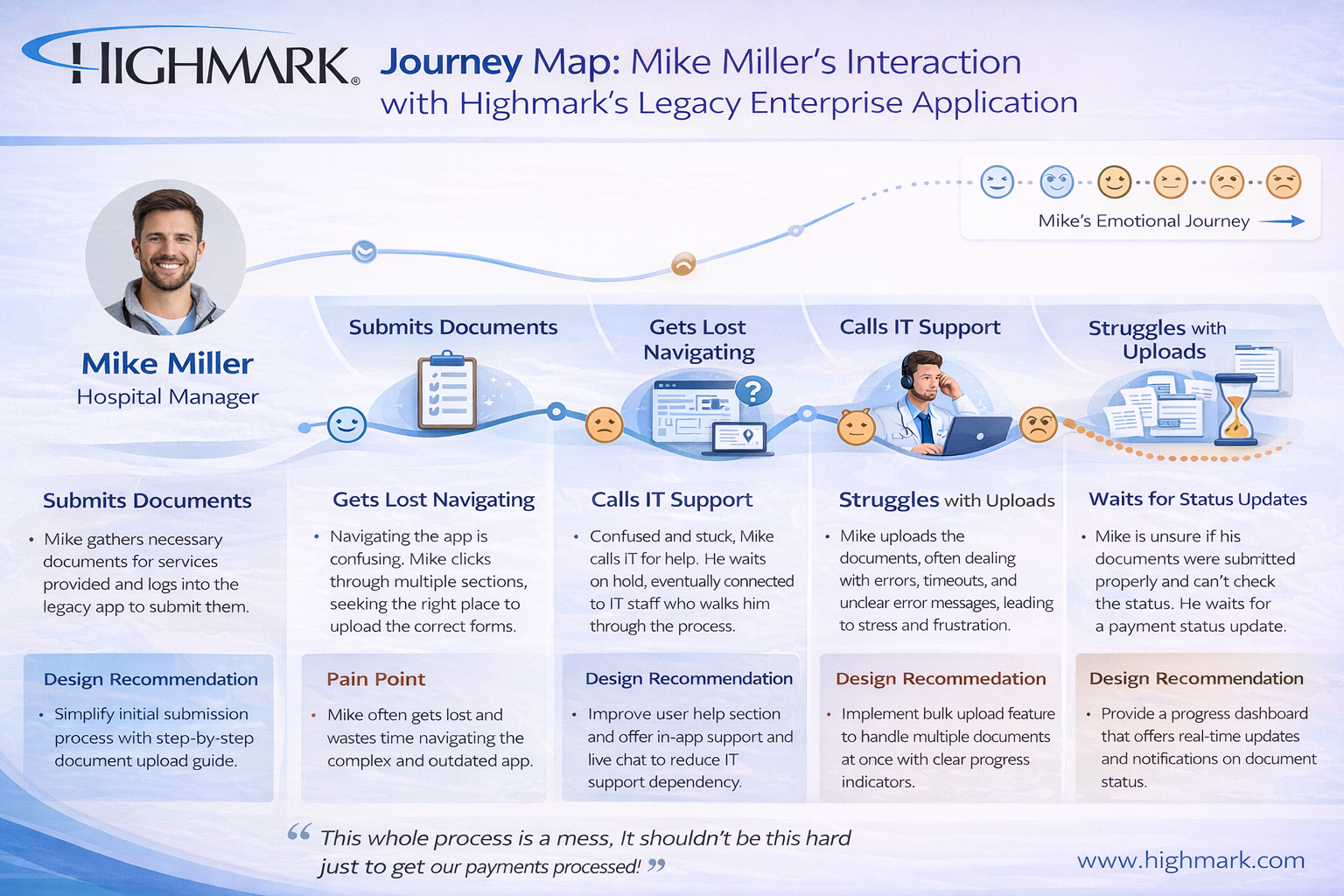
It helps to organize and clarify the path that users will take, making it easier to identify and address any potential friction points.
I review the analytics looking for bounce rate, most visited pages, time on pages, etc.
I ask for any past research, which can give me insights, an overview on past issues, and see if the designs were updated correctly to solve the problems.
Our team decided to conduct interviews to better understand user behavior and aim for informed design decisions that enhance usability satisfaction.
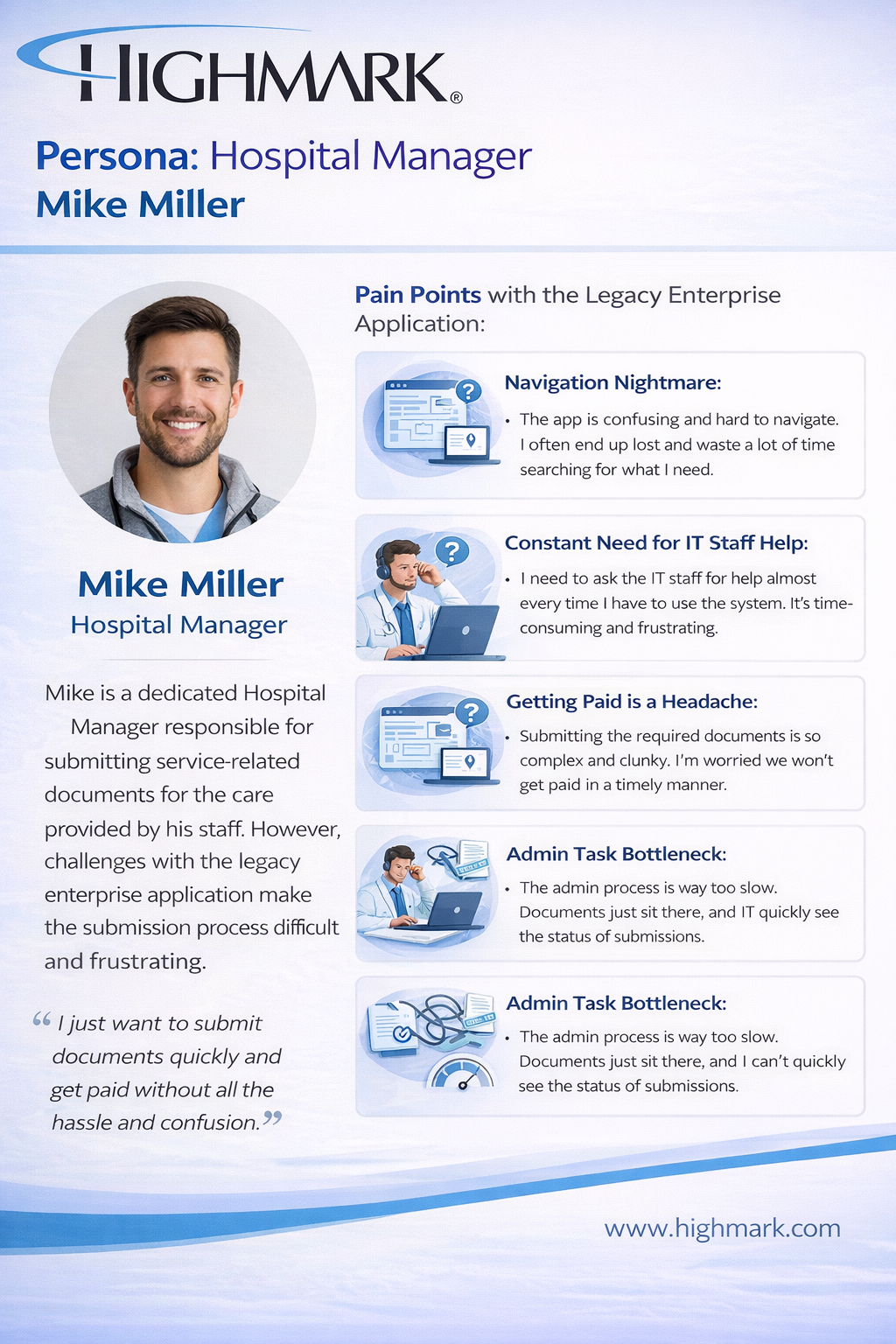
Taking detailed notes, categorizing them - using them for further questions with the team and Product Owners and producing personas, journey maps, and gathering key insights gave clear direction.
Key insights gleaned from interviews indicated that clients favored a straightforward system characterized by proactive problem solving.
The primary pain points revolved around their reluctance to engage with the complex systems, as they desired assurance that their proof of service statements would be submitted correctly.
The journey map revealed critical touchpoints and pain points experienced by users throughout the areas for improvement in document submissions.
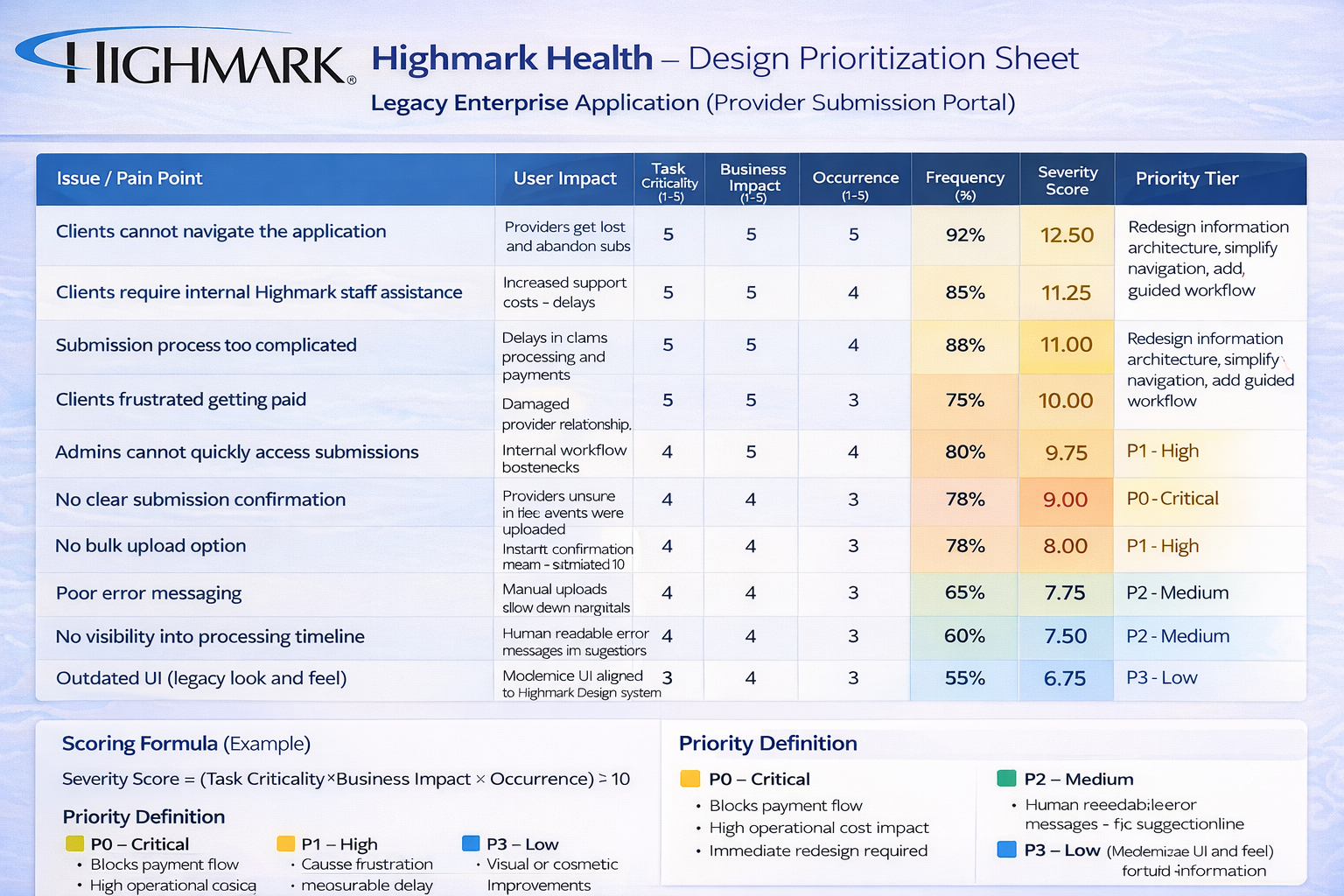
I organized the list of redesigns with the team and product owners. I created a design prioritization sheet of work to be done.
I analyze competitors' strategies, strengths, weaknesses, and designs to glean insights into market trends and user expectations.
I draw inspiration from various sources, including industry trends and innovative solutions, to fuel my creative process and inform the design direction.
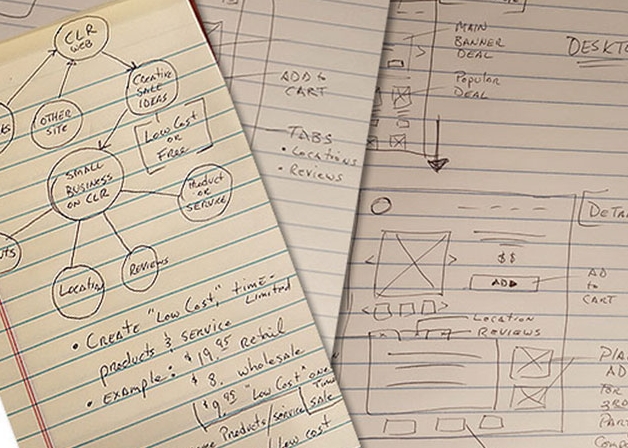
I express my concepts and ideas by sketching them out with pen and paper, allowing for rapid exploration and iteration of design possibilities.
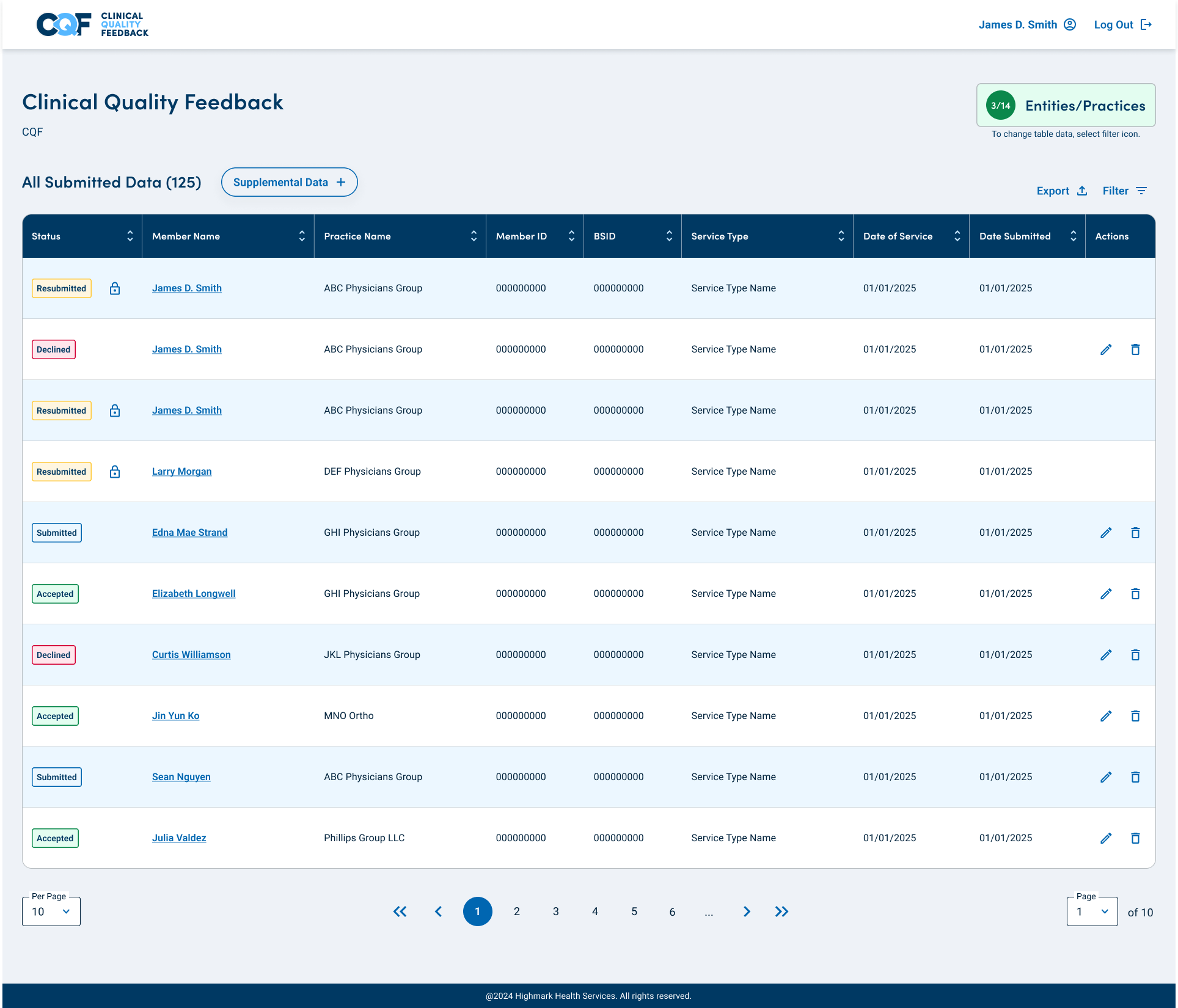
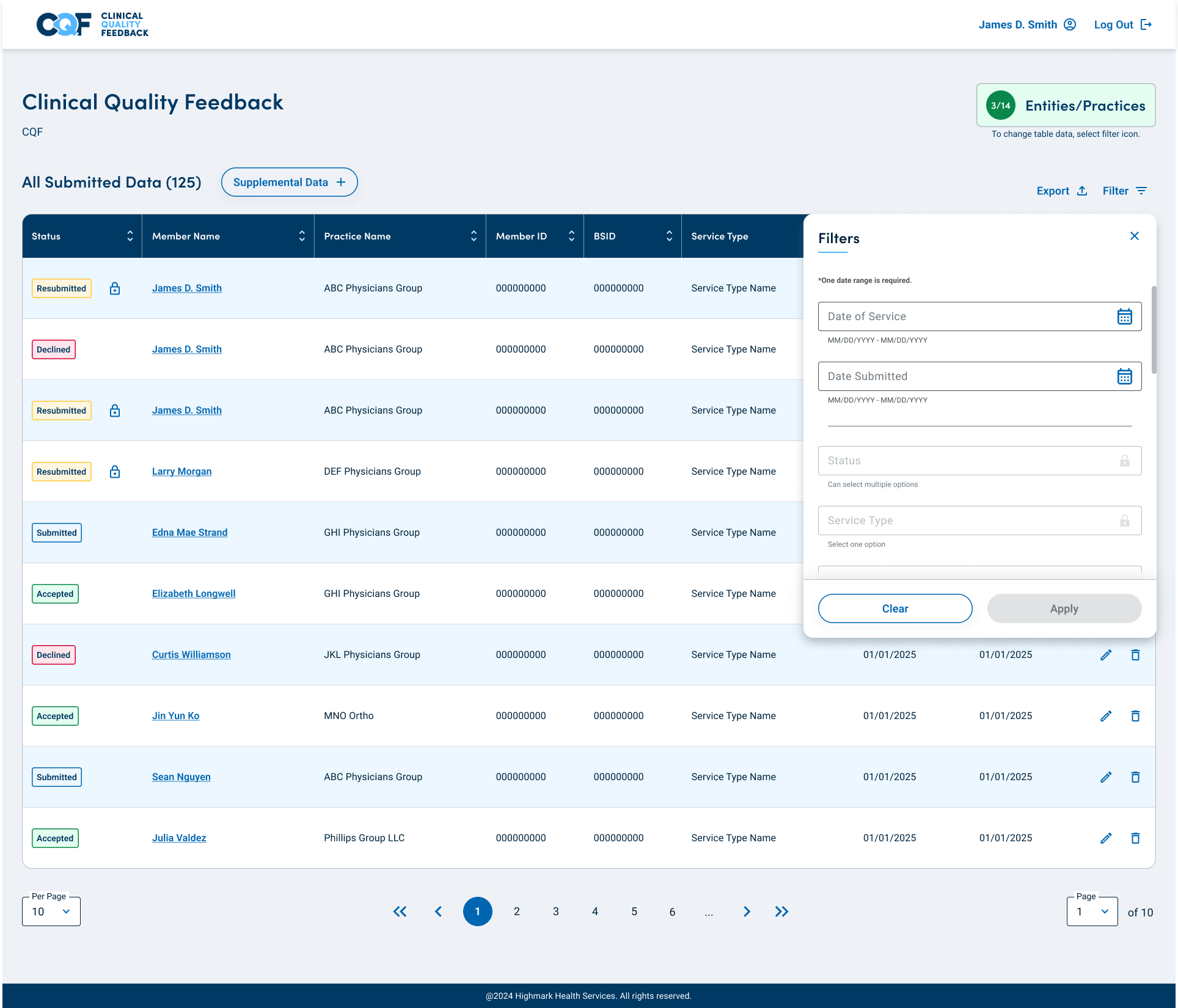
By leveraging Highmark's Design System, I save time and bypass wireframing, ensuring that my conceptual designs adhere to brand guidelines. This facilitates user testing while maintaining UI consistency.
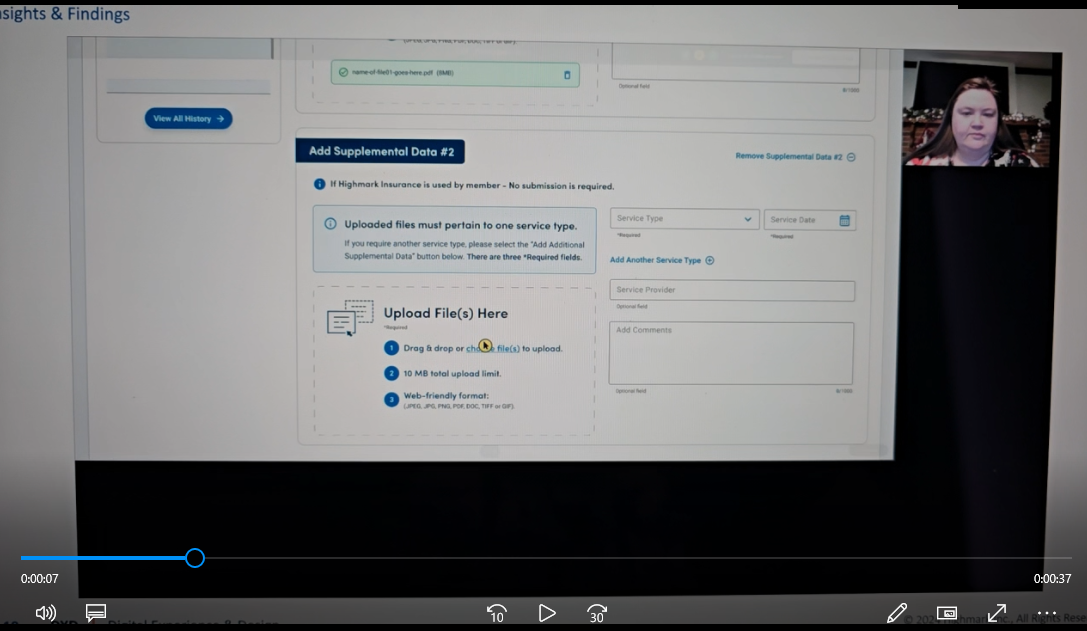
I conduct comprehensive user testing sessions, gathering feedback from both internal team members and targeted clients, to refine the design through iterative improvements.
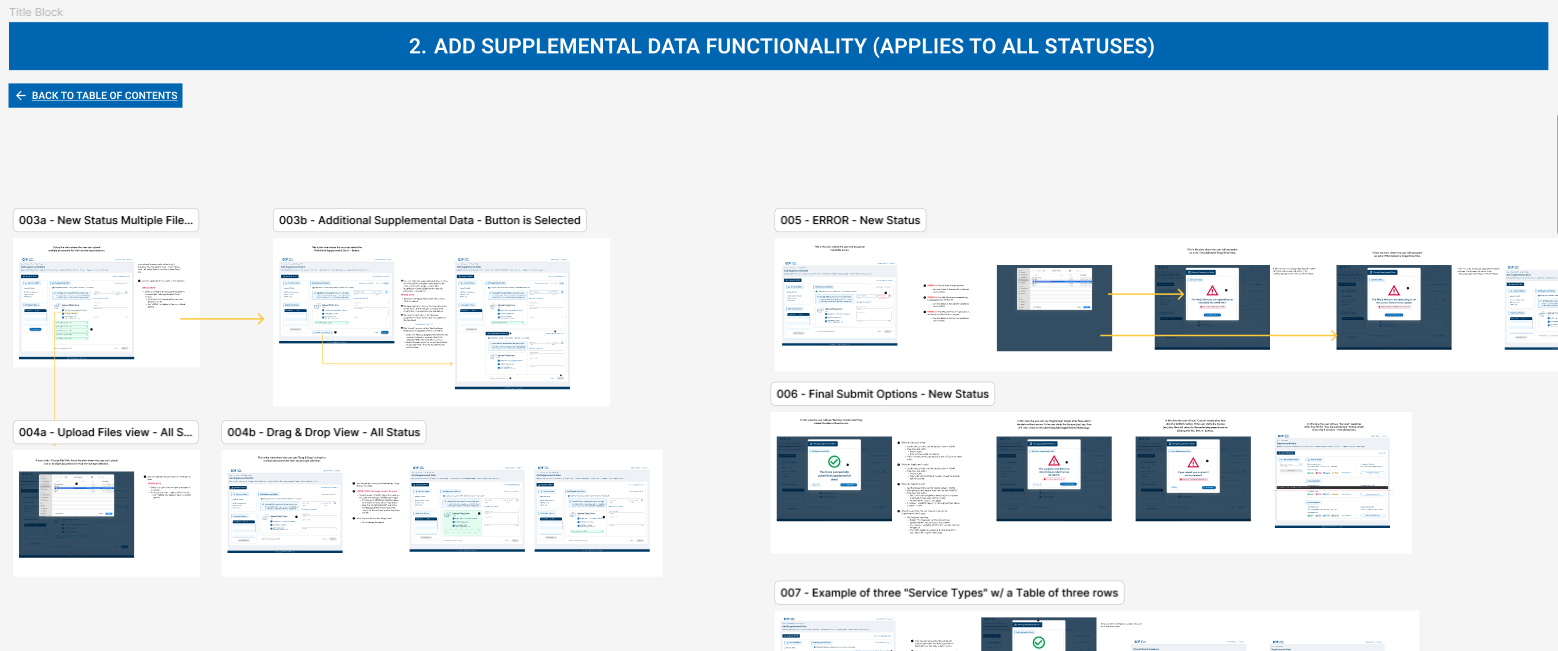
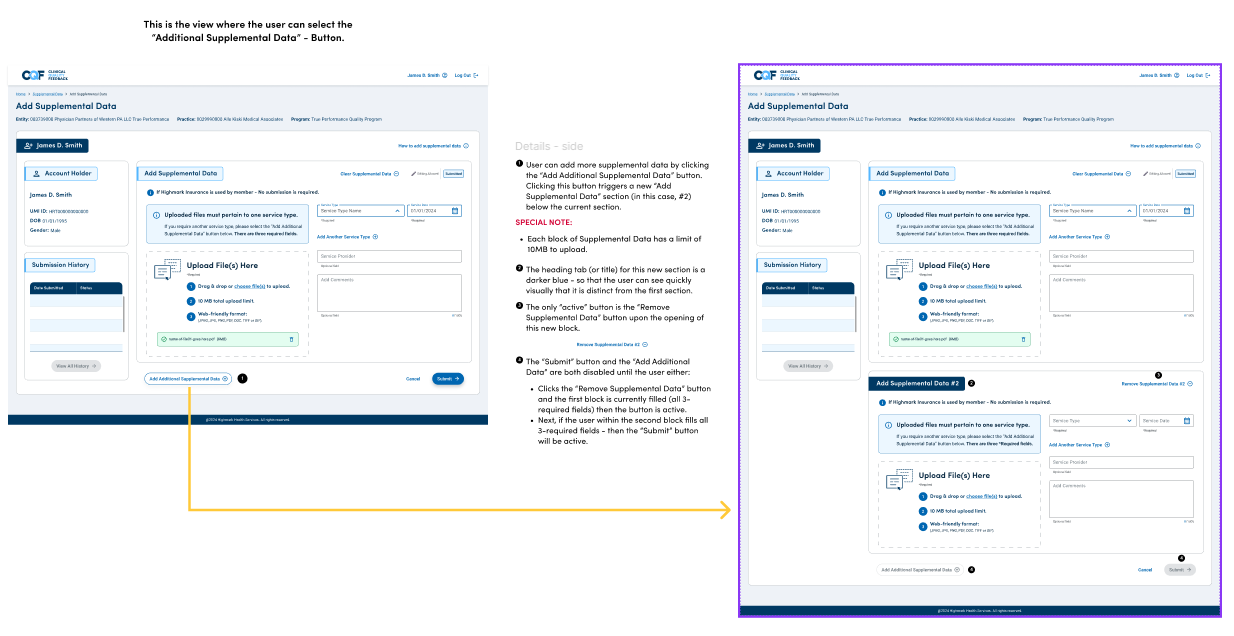
Upon finalizing the design, I organize and prepare the assets for seamless handoff to the development team, ensuring clear communication and smooth implementation of the design vision.
The outsourced development team dictated technical decisions, forcing me to advocate for user-centered redesigns, such as, eliminating "Impersonation Mode" despite their resistance.
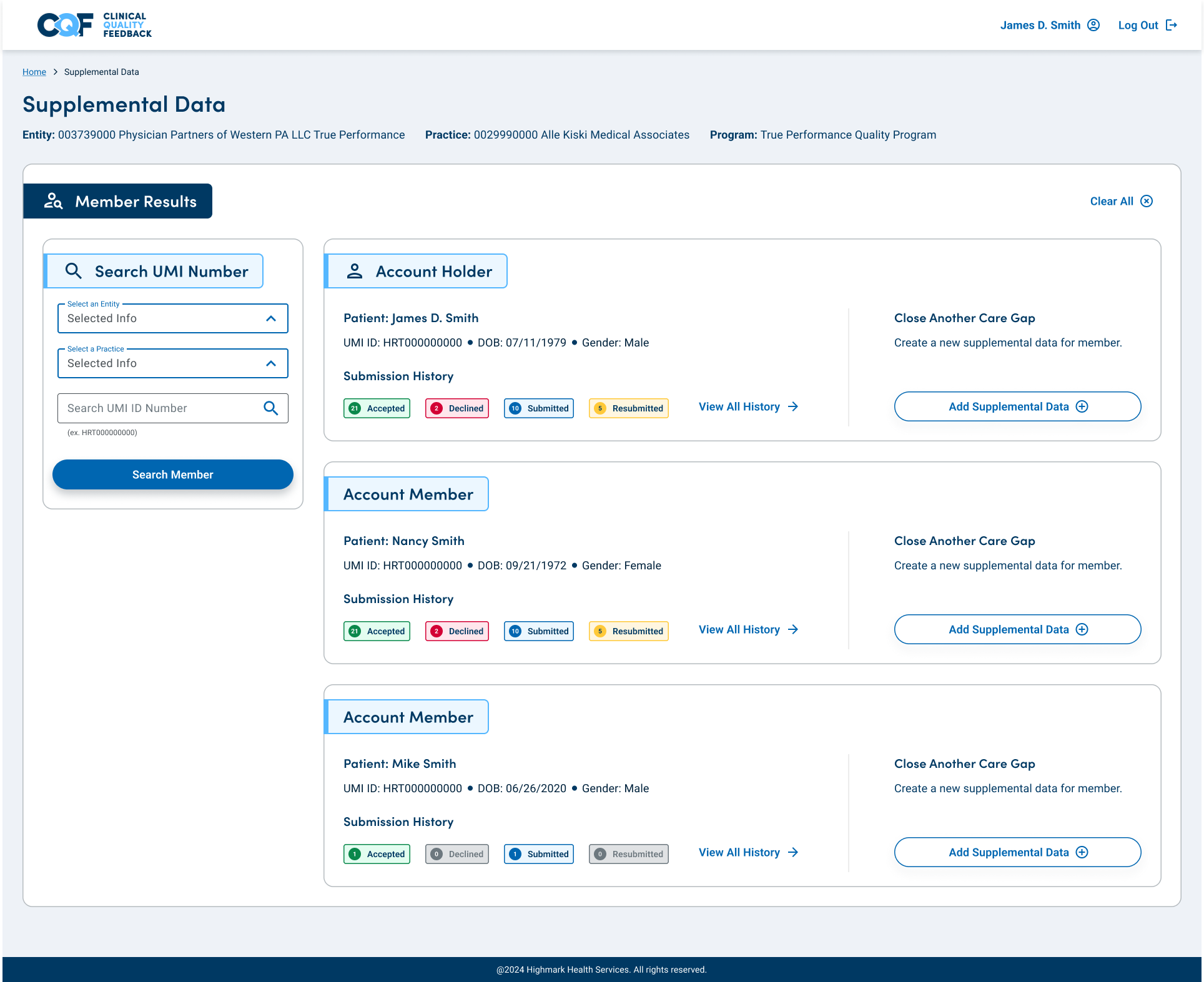
I redesigned a single interface for both external clients and internal admin staff, enabling dev and admin teams to code less while processing client forms more efficiently without added complexity.
Their ironclad rules restricted innovative features, requiring careful balances between security and usability for client submissions.
Looming December freeze pressured rapid iterations under tight timelines.
Prototype Advocacy Wins: Demoing identical-look prototypes—one with legacy "Impersonation Mode," the other with my streamlined approach—overcame external dev team resistance and secured executive buy-in.
HIPAA-First Design: Integrating compliance from the start prevented fines for the outsourced team and preserved user-centered flexibility despite their iron-fisted control.
Unified Interface Efficiency: A single redesign for clients and admins slashed coding needs by 40%, streamlined form processing, and scaled effortlessly across user types.
Deadline-Driven Prioritization: The looming code freeze forced ruthless focus, delivering approval before cutoff while proving UX value under pressure.
Stakeholder Visual Persuasion: Visual before-and-after demos trumped verbal arguments, bridging technical constraints with real user needs for lasting impact.
The projected subscriber growth is a testament to the effectiveness of the redesign and the value it brings to the users. It's a clear indicator that investing in UX design can lead to tangible business benefits and enhanced customer satisfaction.